
Cart
0
Product
Products
(empty)
No products
Product successfully added to your shopping cart
Quantity
Total
There are 0 items in your cart.
There is 1 item in your cart.
Total products
Total shipping
To be determined
Total
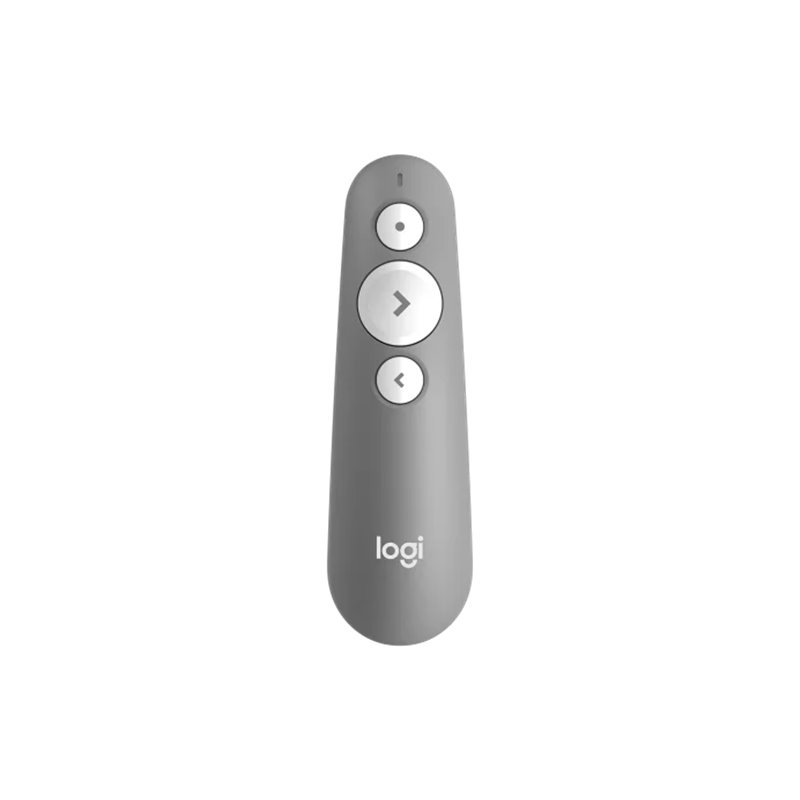


Logitech R500s Laser Presentation Remote (910-006522) - Mid Grey
10446
Logitech
New product
With broad compatibility
Deliver impactful presentations with the R500s Laser Presentation Remote. Move freely and navigate slides from up to 20 meters away – and point out precise areas of focus with the red laser pointer.

More info
| R500s LASER PRESENTATION REMOTE |
| PRESENT EFFORTLESSLY |
| Deliver impactful presentations with the R500s Laser Presentation Remote. Move freely and navigate slides from up to 65 feet (20 meters) away – and point out precise areas of focus with the red laser pointer. The R500s is optimized to work with Windows®, macOS, Chrome, iPad OS, Android and leading presentation apps such as Google Slides, Prezi, PDF and PowerPoint. |
| SIMPLY PRESENT |
| The R500s is a simple, reliable, and hassle-free presentation remote – so you can focus on crushing your delivery. |
| INTUITIVE SLIDE NAVIGATION |
| The R500s unmistakable three button design means you can navigate your presentation slides with ease and confidence without having to look down to orient your fingers. |
| RED LASER POINTER |
| Point out precise areas of focus in your presentation with an easy-to-use and bright red laser pointer. |
| If you present on TV & LCD screens and need a digital pointer The laser emits a low-power beam, making it less noticeable when reflected on screens like LCD and plasma., try the |
| Customization App |
| Custom Controls |
| Do more with your R500s Laser Presentation Remote. With the Logi Options+ App, customize button functions and monitor battery life. Never worry about your computer going to sleep, the app keeps it awake while you present6Available for recent versions of Windows and macOS at logi.com/optionsplus. |
| 20-METER OPERATING RANGE |
| Connect your R500s to your computer via USB receiver or Bluetooth® low energy technology. Then move and present freely from as far as 65 ft (20 meters) away7May vary based on environmental and computing conditions.. |
| DESIGNED FOR A SECURE GRIP |
| The R500s Laser Presentation Remote has been designed to fit snugly into the palm of your hand, and its soft rubber surface and textured buttons allow for a confident grip while presenting. |
| Specs & Details |
| Dimensions |
| Presentation remote |
| Height: 4.87 in (123.6 mm) |
| Width: 1.44 in (36.6 mm) |
| Depth: 0.97 in (24.7 mm) |
| Weight: 1.71 oz (48.4 g), included Battery (not including Receiver) |
| Receiver |
| Height: 0.99 in (25.0 mm) |
| Width: 0.69 in (17.5 mm) |
| Depth: 0.26 in (6.6 mm) |
| Weight: 0.07 oz (2 g) |
| Technical Specifications |
| Laser |
| Class: 1 laser |
| Max output: less than .039 mW |
| Wavelength: 640-660 nm (red light) |
| Battery |
| Battery: 12 months + 1 extra week without laser pointer 1When your battery is low, the R500s goes into a 'power-saving' mode – disabling the laser to extend battery life so you can continue presenting for an extra week. Battery life may vary based on use and computing conditions. |
| Indicator Lights (LED): Battery and Connectivity LED |
| Customization app |
| Supported by Logi Options+ on Windows and macOS 2Available for recent versions of Windows and macOS at www.logitech.com/software/logi-options-plus |
| Connectivity |
| Connection Type: Bluetooth low energy technology and 2.4GHz wireless connection |
| Wireless range: 65.62 ft (20 m) 3It may vary based on use and computing conditions. |
| Compatibility |
| Logitech Proprietary Receiver |
| Available USB port required |
| Windows 10,11 or later |
| macOS X 10.12 or later |
| ChromeOS |
| Linux 2.6+ |
| Bluetooth |
| Bluetooth Required |
| Windows 10,11 or later |
| macOS X 10.12 or later |
| iOS 8 or later |
| Android 5.0 or later |
| Internet connection for software download |
| Customization app |
| Internet access required to download optional customization app Logi Options+ 4Available for recent versions of Windows and macOS at www.logitech.com/software/logi-options-plus |
| In the Box |
| Presentation remote |
| USB Dongle |
| 1 AAA Battery |
| User documentation |